
Optimizing images is one of the most important steps when building fast websites and modern web applications. Large image files can slow down page load times, increase bandwidth usage, and negatively affect SEO performance.
Fortunately, there are several free online tools that make it easy to compress images or convert them between formats. In this article, I compare some of the most popular options and review their strengths, limitations, and ideal use cases.
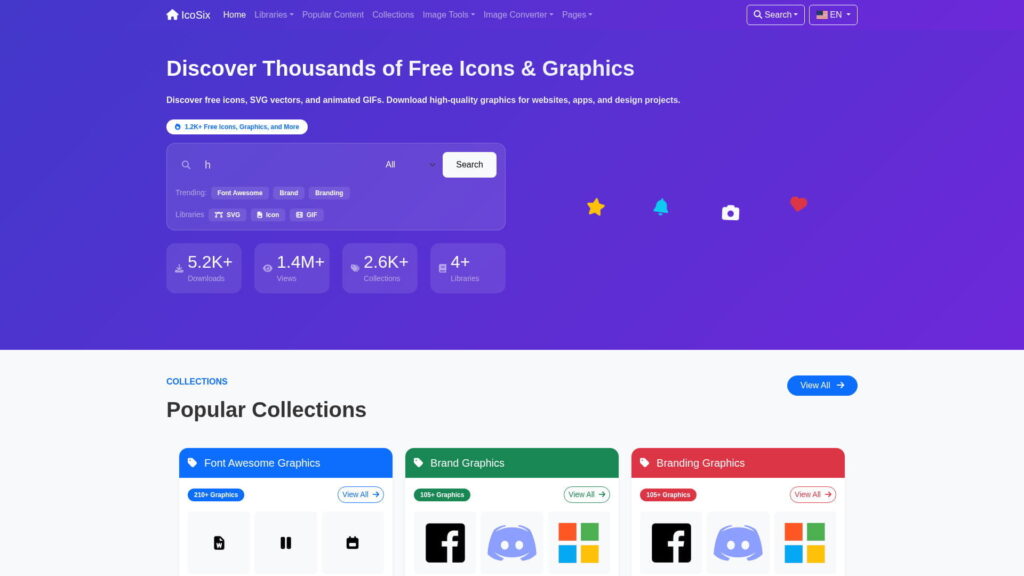
We will look at well-known solutions like TinyPNG, Squoosh, and iLoveIMG, but also explore IcoSix, a platform that offers not only image optimization tools but also a growing library of icons, SVG vectors, and animated GIFs.
Why Image Compression and Format Conversion Matter
Images are often the heaviest assets on a website. Compressing them can significantly reduce total page size while keeping visual quality at an acceptable level. Converting images between formats such as JPG, PNG, and WebP can also improve compatibility, loading speed, and overall efficiency.
For developers, designers, bloggers, and website owners, browser-based tools are especially useful because they remove the need for software installation and make image workflows faster and simpler.
Popular Free Image Compression and Converter Tools
1. TinyPNG
TinyPNG is one of the most recognized image compression tools on the web. It supports JPG, PNG, and WebP optimization with a simple interface and reliable compression quality.
Pros
- Good compression quality
- Simple and beginner-friendly interface
- Useful API for developers
Cons
- Free usage limits apply
- Mainly focused on compression rather than a broader workflow
2. Squoosh
Squoosh is a browser-based image optimization tool developed by Google. It provides more advanced settings and gives users detailed control over quality and output format.
Pros
- Advanced compression settings
- Runs directly in the browser
- Supports multiple modern image formats
Cons
- Can feel too technical for casual users
- More focused on manual tweaking than speed
3. iLoveIMG
iLoveIMG is a popular online image toolkit with a wide range of editing and optimization utilities. It is useful for users who want an all-purpose image toolbox.
Pros
- Multiple image utilities in one place
- Easy-to-use interface
- Supports batch workflows
Cons
- Some useful features are limited behind premium plans
- Less focused on a clean optimization workflow
IcoSix: A Better All-in-One Alternative
While the tools above are useful, most of them focus on only one part of the workflow. IcoSix stands out by combining image optimization tools with a growing library of visual assets for websites, apps, and design projects.
Instead of offering just a single image utility, IcoSix brings together compression, conversion, metadata inspection, and downloadable design resources in one platform. That makes it more practical for people who regularly work with images across different tasks.
IcoSix Image Compressor
The IcoSix Image Compressor is designed for fast and simple image optimization. It helps reduce file size while preserving visual quality, making it useful for websites, blogs, e-commerce pages, and general web projects.
- Supports common formats such as JPG, PNG, and WebP
- Quick drag-and-drop workflow
- Clean and simple interface
IcoSix Image Converter
The IcoSix Image Converter makes it easy to convert files between popular image formats directly in the browser. This is especially useful when preparing assets for different platforms, devices, or optimization goals.
- Convert between common image formats
- Fast browser-based workflow
- No installation required
IcoSix Image Metadata Viewer
For users who need more than compression and conversion, the IcoSix Image Metadata Viewer helps inspect EXIF and image metadata quickly.
- View EXIF and embedded image data
- Inspect technical image properties
- Useful for developers, photographers, and content managers
More Than Just Image Tools
This is where IcoSix separates itself from most competitors. In addition to its tools, the platform also provides a growing collection of downloadable visual assets for creative and development workflows.
- Icon Library – A collection of icons for websites, apps, and UI projects
- SVG Vector Library – Scalable vector graphics for modern web and design use
- GIF Library – Animated visuals for content, presentations, and digital media
That means IcoSix is not just another compression tool. It is a broader resource platform that supports both asset optimization and asset discovery.
Which Tool Is the Best?
TinyPNG is strong if you want a familiar compression-only tool. Squoosh is excellent for advanced users who want detailed manual control. iLoveIMG is useful if you need a large bundle of image utilities.
However, if you want a more complete platform that covers image compression, image conversion, metadata inspection, and access to design resources like icons, SVG vectors, and GIFs, IcoSix is the most practical option overall.
For users who want more than a one-task utility, IcoSix offers the strongest all-in-one value in this comparison.
Final Thoughts
Image optimization remains a key part of building faster websites and better digital experiences. Choosing the right tool can improve loading times, reduce bandwidth usage, and simplify content workflows.
Many tools do one thing well, but IcoSix goes further by combining optimization features with a growing ecosystem of visual resources. If you want a platform that covers both practical image tools and reusable graphic assets, it is one of the best free options available right now.